
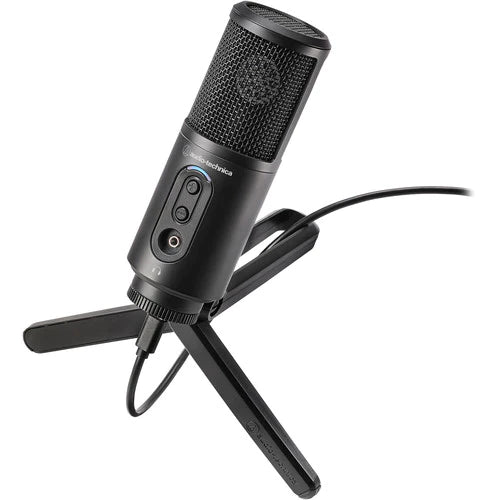
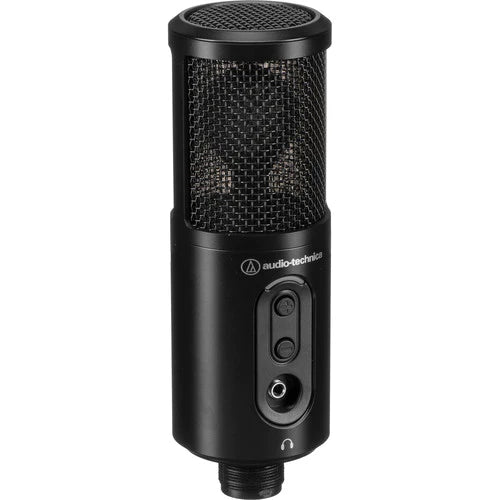


The Audio-Technica ATR2500x-USB is a workhorse USB mic designed to give people who record vocals in home-studios a home-field advantage: this mic will enable you to get a good sound in an untreated room, whether you're recording your voice for podcasts, live-streams, or voice overs. Able to connect with computers via its USB-C connection, this side-address microphone boasts a durable construction, and includes accessories for getting it up and running out of the box.
Designed for Multiple Uses
This mic is designed for your voice, whether you use it to stream game-play over Twitch, record podcasts, or create voice-overs.
Bypasses Analog Gear
The mic will operate with both Mac and Windows computers. No preamp, interface, converters, or mixer are necessary for recording your voice.
Cardioid Polar Pattern for the Untreated Room
The microphone makes use of a directional cardioid polar pattern to minimize off-axis sound. This polar pattern naturally, yet effectively tamps down room tone and focuses the audio capture on what's directly in front of the mic, so everyone can clearly hear your voice.
Built-In 3.5mm Headphone Jack and Volume Controls
The mic offers a headphone jack for monitoring. Just plug a pair of headphones into the 3.5mm jack, and you'll be able to listen to your high-res audio in all its glory. Convenient volume controls help you raise or lower the headphone volume, so you won't have to change the volume on your computer or your recording software to hear audio at your desired level.
High-Res Audio Capture
The mic records audio at sample rates and resolutions up to 192 kHz / 24-bit, giving you a performance that surpasses specifications used in many professional studios. When it comes to the digital technology in this mic, you need not worry about recording a substandard sound.
USB Connection Right Out of the Box
With an included tripod stand, mic mount, and USB cables, you can get up and running right away. Simply place the mic in the mount, attach the mount to the stand, and run the USB cable from the mic into your computer.
Audio-Technica ATR2500X-USB Specs
Microphone
| Form Factor | Desktop |
| Sound Field | Mono |
| Capsule | 1 x Condenser |
| Polar Pattern | Cardioid |
| Orientation | Side Address |
| High-Pass Filter | None |
| Tone Adjustment | None |
| Indicators | 1 x Single LED (Power) |
| On-Board Controls | Headphone Volume |
Performance
| Frequency Range | 30 Hz to 15 kHz |
Connectivity
| Output Connectors (Digital) | 1 x USB Type-C |
| Headphone Connector | 1 x 1/8" / 3.5 mm |
Digital Audio
| A/D Conversion | 24-Bit |
| Sample Rate | 44.1 / 48 / 88.2 / 96 / 192 kHz |
| Operating System Support | Windows, macOS/OS X |
| RAM Requirement | 64 MB Minimum |
| Available Port | USB (Interface Unspecified) |
Power
| Bus Power | USB |
| Operating Voltage | 5 V |
Physical
| Mounting | 5/8"-27 Female (Included) |
| Construction Material | Metal |
| Dimensions | ø: 1.97 x L: 6.1" / ø: 5 x L: 15.49 cm |
| Weight | 12.9 oz / 365.72 g |
| Package Weight | 1.49 lb |
| Box Dimensions (LxWxH) | 9.5 x 6.7 x 2.8" |

